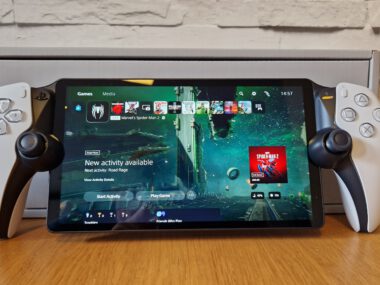
The PlayStation Portable (PSP) remains one of Sony’s most innovative gaming devices more than a decade after its release. With its powerful hardware and extensive game library, the PSP continues to be a beloved handheld console for collectors and retro gaming enthusiasts. This comprehensive guide will show you how to access and manage your PSP, covering everything from basic setup to advanced customization.
Understanding the PlayStation Portable Legacy
The PSP revolutionized handheld gaming when it launched in 2004, offering console-quality graphics in a portable format. Despite being a legacy device, its vibrant community and extensive library keep it relevant today. Whether you’re unboxing a classic PSP-1000 or finding your old PSP-3000, proper management is key to enjoying this timeless console.
Initial PSP Setup and Configuration
Unboxing and Basic Setup
-
Charge Your PSP: Connect the AC adapter and allow the battery to charge fully (orange light turns off)
-
Insert Memory Stick: The PSP uses Memory Stick Pro Duo – essential for saves and media
-
Power On: Slide the power switch up and hold for 2 seconds
-
Set Language and Region: Follow the initial setup prompts
Essential System Settings
Navigate using the iconic XrossMediaBar (XMB) interface:
-
System Settings: Set date/time, language, and system information
-
Power Save Settings: Configure battery optimization
-
USB Connection: Enable file transfer mode
-
Network Settings: Configure Wi-Fi (where still applicable)
How to Access Games on Your PSP
Official Game Access Methods
-
UMD Games (Universal Media Disc)
-
Insert the UMD into the disc slot
-
The game icon will appear under the “Game” menu
-
UMDs provide the authentic PSP gaming experience
-
-
PlayStation Store (Historical Context)
-
While the official store is discontinued, previously purchased games can be re-downloaded
-
Access required Wi-Fi connection and PSN account
-
Modern Game Access Solutions
Memory Stick Storage Management
-
Format your Memory Stick: Settings > System Settings > Format Memory Stick
-
Create organized folders: GAME, MUSIC, PICTURE, VIDEO
-
Use USB mode to transfer content: Settings > USB Connection
MicroSD Adapter Solution
-
Use a Memory Stick Pro Duo to microSD adapter
-
Significantly increases storage capacity affordably
-
Format the microSD card through the PSP system
Advanced PSP Management: Custom Firmware
Disclaimer: Custom firmware may void warranties and should be used at your own risk. Only install CFW on PSP consoles you own.
Benefits of Custom Firmware
-
Play game backups from memory stick
-
Emulate classic consoles (NES, SNES, GBA)
-
Use homebrew applications and plugins
-
Enhance system functionality beyond Sony’s limitations
Popular CFW Options
-
PRO-C: Temporary firmware (resets on shutdown)
-
LME: Permanent patch alternative
-
6.61 Infinity: Permanent firmware solution
Basic CFW Installation Steps
-
Ensure your PSP is compatible (most models are)
-
Download appropriate CFW version for your model
-
Transfer files to PSP/GAME folder
-
Run installer from Game menu
-
Follow on-screen instructions
Managing PSP Media and Applications
Multimedia Management
-
Music: MP3 files in MUSIC folder
-
Video: MP4 format in VIDEO folder
-
Photos: JPEG format in PICTURE folder
-
eBooks: Use homebrew applications for reading
Save Data Management
-
Backup saves regularly to computer
-
Manage save files through Saved Data Utility
-
Transfer saves between PSP systems
PSP Connectivity and Networking
Ad-hoc Multiplayer Gaming
-
Local wireless play between PSP systems
-
No internet required for ad-hoc mode
-
Supported by many popular titles
Internet Connectivity (Where Supported)
-
Configure Wi-Fi in Network Settings
-
Useful for homebrew applications and certain services
PSP Maintenance and Troubleshooting
Regular Maintenance Tips
-
Clean screen with microfiber cloth
-
Keep UMD door free of debris
-
Update to official firmware 6.61 for stability
-
Regularly backup important data
Common Issues and Solutions
Problem: PSP won’t power on
-
Solution: Check battery, try AC adapter without battery
Problem: UMD not reading
-
Solution: Clean UMD lens, check for disc damage
Problem: Memory card not detected
-
Solution: Reinsert card, format in PSP, try different card
Problem: Stick drift or button issues
-
Solution: Clean controls, consider replacement parts
PSP Model Comparison
| Model | Release Year | Key Features | Best For |
|---|---|---|---|
| PSP-1000 | 2004 | Original model, IR port | Collectors |
| PSP-2000 | 2007 | Slimmer, video output | General use |
| PSP-3000 | 2008 | Better screen, microphone | Gaming |
| PSP Go | 2009 | Slide design, 16GB internal | Portability |
| PSP Street | 2011 | Budget model, mono speaker | Beginners |
Frequently Asked Questions
Can I still buy PSP games?
Physical UMD games are available through secondary markets. Digital purchases are no longer available through official stores.
What’s the best memory solution for PSP?
A Memory Stick Pro Duo to microSD adapter with a 128GB microSD card provides the best value and capacity.
Is the PSP still worth buying today?
Absolutely! With custom firmware, the PSP becomes an incredible retro gaming machine capable of playing PSP, PS1, and numerous classic console games.
How long does PSP battery last?
Original batteries last 4-6 hours. Replacement batteries are available, or you can use USB power banks with a charging cable.
Can I connect my PSP to modern TVs?
Yes, with component cables (PSP-2000/3000) and a compatible display, though quality may vary on modern HD TVs.
Conclusion: Keeping Your PSP Alive
The PlayStation Portable remains a remarkable piece of gaming history that’s still highly functional today. By following this guide, you can access and manage your PSP effectively, whether you’re playing classic UMDs or exploring the world of homebrew. Proper maintenance and understanding of both official and community-supported methods will ensure your PSP continues to provide entertainment for years to come.
With its extensive library, excellent emulation capabilities, and portable design, the PSP proves that great gaming never goes out of style.